OverviewSee the liquidity that's really there.
This study started on ES futures, built to tackle the smoke-screening and spoofing
algorithms that make traditional heatmaps nearly unreadable. It works on any instrument with market
depth data: ES tuning ships by default, and other markets mainly need the order size dialed in to
match their liquidity.
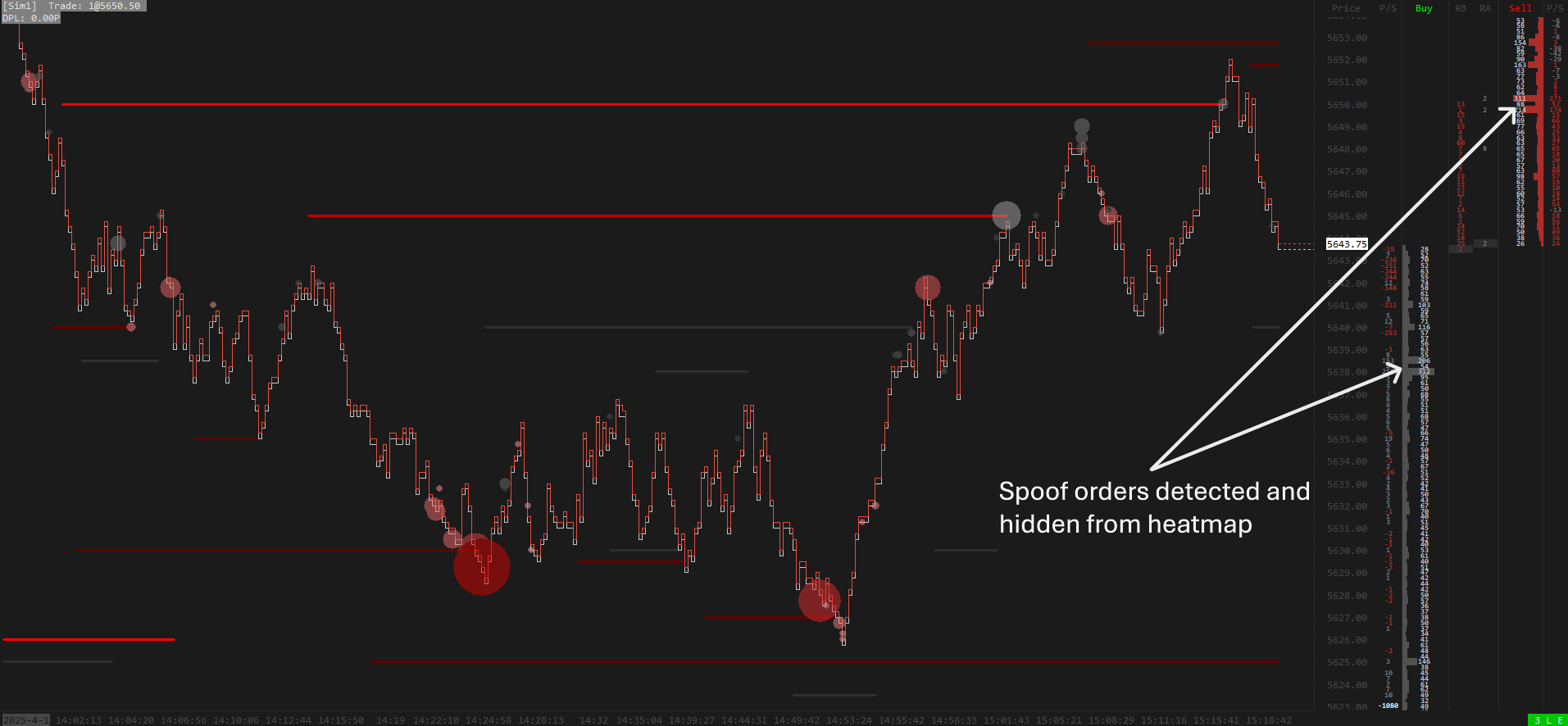
It tracks and visualizes resting liquidity zones from both historical and live
market depth data. Significant bid and ask levels are highlighted based on your size and duration
thresholds, with color-coded intensity and efficient span tracking for high-performance rendering. By
filtering out the noise and focusing on genuine, persistent limit orders, it exposes and minimizes the
impact of spoofing activity.
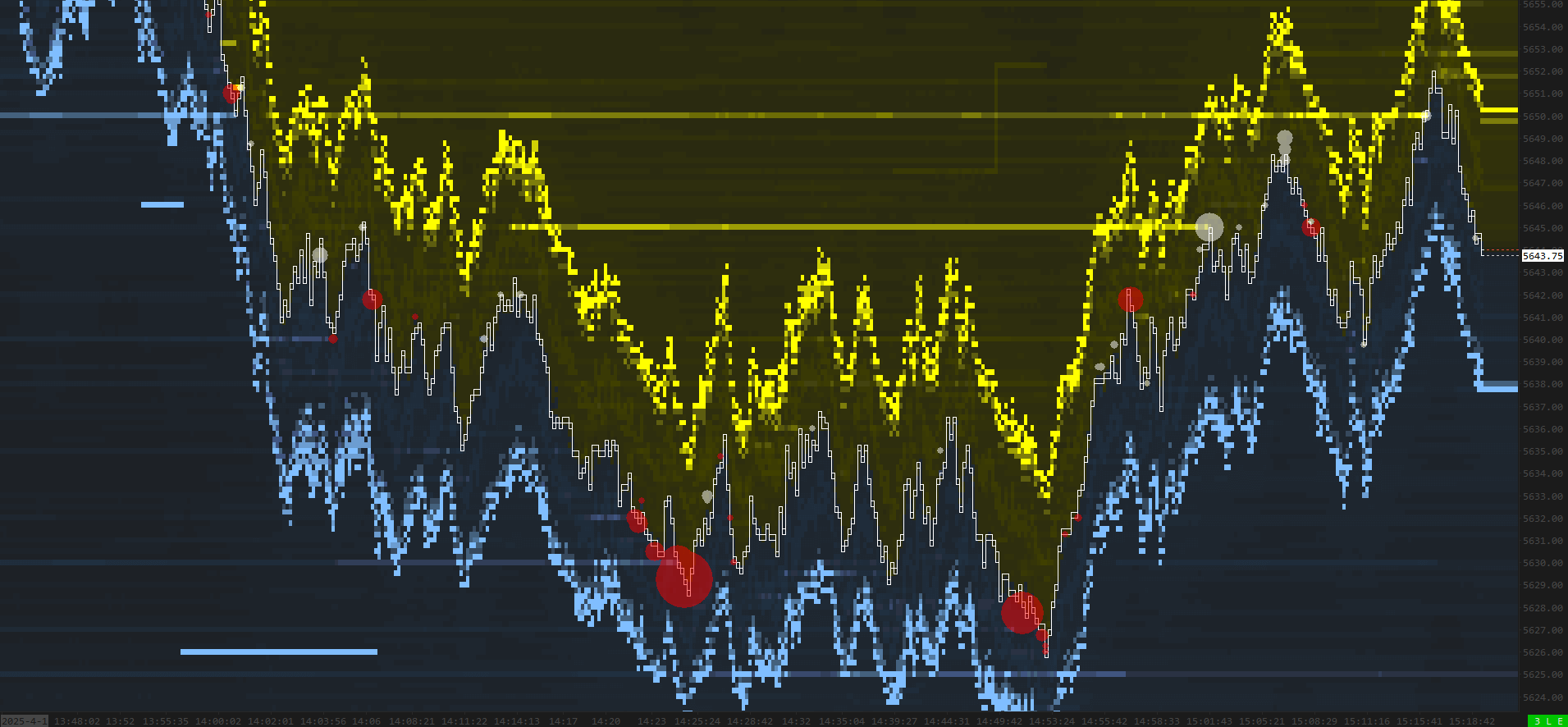
The problemTraditional heatmaps, jammed.
For over a year, smoke-screening algorithms have disrupted the ability to track
high-liquidity zones in the ES futures market. They typically follow price in a set pattern, leaving a
“band” around it that renders traditional heatmaps effectively useless.
Traditional ES heatmap · spoofing noiseSierra Chart
How it worksHistorical depth, then live.
01Historical load
On initial load the study reads the historical market depth of every visible bar.
- The heatmap is complete the moment you open the chart, with no warm-up needed.
- Historical levels qualify by how many bars they persisted above your size threshold.
02Live mode
From there it continuously scans the live DOM, drawing resting-liquidity orders as they qualify.
- Updates in real time as genuine limit orders rest and pull.
- A short coloring delay keeps fleeting spoof orders from lighting up the map.
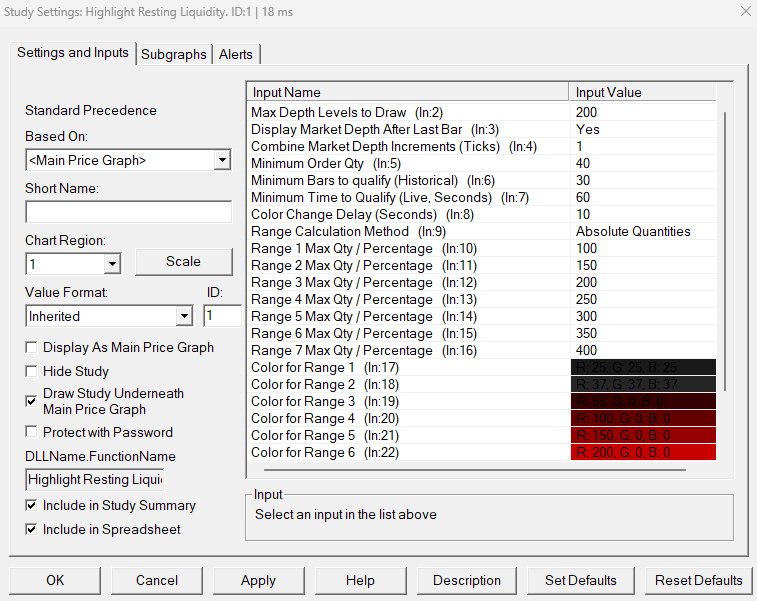
ControlsTuned to your noise floor.
-
Combine Market Depth Increments. Groups price increments for a more zoomed-out, cleaner
view.
-
Min Order Qty. The minimum order quantity a level must show before it is drawn.
-
Min Bars to Qualify. Minimum bars a level must hold above Min Order Qty to display, used
for the historical market-depth calculation.
-
Min Time to Qualify. Minimum seconds a level must hold above Min Order Qty to display,
used in the live market-depth calculation.
-
Color Change Delay. Delays recoloring of live spans when quantity rises, so brief
high-quantity spoof orders don't light up instantly. Decreasing size recolors instantly, exposing
pulling behavior.
Every threshold configurableStudy settings
Good to knowFAQ.
How do I get access after buying?
At checkout you provide your Sierra Chart Account Name (Help → About →
Account Name / Username). Within 24 hours we add you to the list of users authorized to use the
study. Restart Sierra Chart and open the automatically downloaded chartbook. If the chart data does not start
loading by itself, use Edit → Translate Symbols to Current Service. Own the
Crimson Suite? Then it is free: send us your account name instead of buying.
Is there a free trial?
Yes, you can try the study free for 7 days. Send your Sierra Chart Account Name
(Help → About → Account Name / Username) to
contact@boostyourcharts.com
and we grant access within 24 hours. No payment needed. After the 7 days the trial ends.
To keep using the study, buy the lifetime license.
Which market is it for?
Any of them. It works on every instrument that carries market depth data. We first
built it for ES futures to counter the smoke-screening and spoofing algorithms in that order book,
so the default settings are tuned for ES. Trading something else mainly means matching the minimum
order size to that market's liquidity. No extra purchase, just configuration.